A little company while you explore
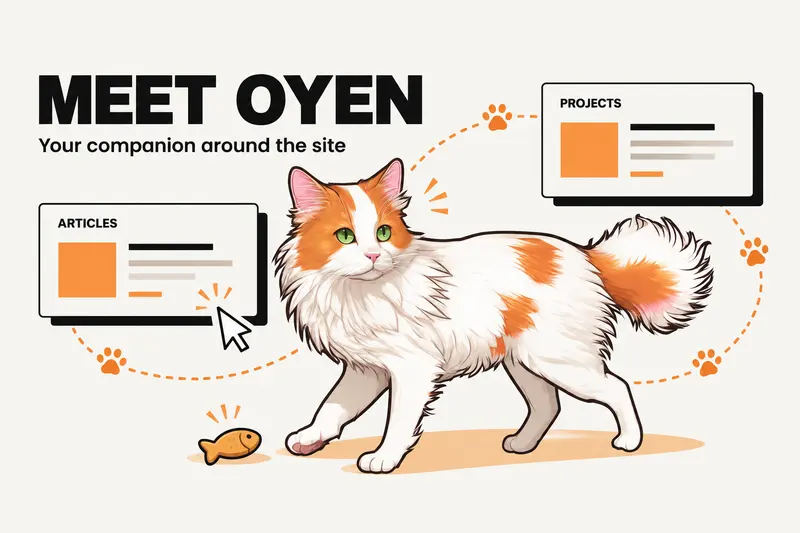
If you have spotted a fluffy ginger-and-white cat wandering across this website, meet Oyen.
He is your little companion around the site: part guide, part reading buddy, and occasionally a very dramatic orange cat. He can point you towards a project, bring you something from the blog, or keep you company while you decide where to go next.
I wanted exploring this space to feel a bit more personal. There are projects to try, field notes to read and ideas to follow. Oyen gives you a friendly place to start. You can tap him for a suggestion, spend a moment playing, or carry on browsing at your own pace.
Ask Oyen where to go next
Tap or click Oyen to open his menu, then choose what's good here? He will suggest somewhere else to explore, with a button that takes you there.
That might be the builds, the field notes, the Athena demo, or a place to start a conversation. If you are new here, it is an easy way to find a first stop. If you have just finished reading, let him point you towards the next one.
You might also see him offer a suggestion while you browse. Follow it if it catches your interest, or choose Not now and keep going.
He brings the blog to you
Oyen has a new way of sharing his finds. Sometimes he runs off the edge of the screen and returns dragging a blog card behind him, as though he has brought you a very important gift.
Open the card if the article looks interesting, or close it and carry on. Leave it sitting there long enough and he may wander over and knock it off the screen himself.
Helpful? Usually. Patient? He is an orange cat.
Pet him, pick him up, make yourself at home
A tap gives Oyen a pet and opens his menu. On a computer, you can also gently rub the pointer back and forth over him for a happy reaction.
Want him somewhere else? Press and drag to pick him up, then release to put him down in a new spot. He dangles while you carry him and lands with a little bounce.
He has his own small routines too: wandering, grooming, sitting nearby and taking a nap. Now and then, expect zoomies or a pounce at the cursor. When you are filling in a form, he heads towards the corner so you have room to type.
Find treats and unlock his wardrobe
Exploring comes with a small reward for your companion. Spend some time reading and scrolling through a blog post or visiting selected pages such as Builds, About, the Athena demo and the Roadmap, and you can earn a fish treat for Oyen.
When a treat is ready, tap him and choose feed me. Feeding him raises his level and unlocks new outfits:
- A red bandana.
- A bow tie.
- A flower crown.
- A gold crown, for the cat who already thinks he owns the place.
Open wardrobe in his menu to choose an unlocked look, or let him go without a costume. If your treat bowl is empty, find treats points you towards somewhere to explore.
You do not need an account to play. Your treats, level and outfit stay in the browser you use, so another browser or device starts its own adventure.
A little encouragement, a little nonsense
Some visits call for a project demo. Others call for a brief break.
Oyen's menu has hype me up for a little encouragement and meme pls for a quick laugh. Expect everyday humour and the occasional cat opinion. You can react to what he shares or close the card whenever you are ready to move on.
Make the visit your own
Oyen is there when you want company. Use his hide button whenever you would prefer a quieter page. If you miss him later, bring Oyen back.
He also respects your device's reduced-motion preference, staying still instead of wandering and performing his animated antics. You can still tap him and move him to a comfortable spot.
Ready to say hello? Explore with Oyen, give him a pet, and ask what's good here. He may have a useful recommendation. He may need a snack first.
Frequently asked questions
How do I use Oyen to navigate the website?
Tap or click Oyen and choose what's good here? His suggestion includes a button to another page, such as the builds, blog or Athena demo.
Can I pet or move Oyen?
Yes. Tap him to pet him and open his menu. On a computer, gently rub the pointer back and forth over him to stroke him. Press and drag to carry him, then release to put him down.
How do I earn treats and unlock costumes?
Spend time reading and scrolling through blog posts or selected pages, then tap Oyen and choose feed me when a treat is available. Feeding him unlocks costumes that you can choose in wardrobe. Each eligible page can give you a treat once in that browser.
Do I need an account to play with Oyen?
No. You can interact with Oyen without signing up. Treats, levels and outfits are saved in your current browser and do not carry across devices.
Can I hide Oyen and bring him back later?
Yes. Use his hide button for a quieter page. To bring him back, open the homepage with Oyen enabled.